Disclaimer: This document was written strictly for academic purposes, and
should be used by cyber security researchers, engineers and enthusiasts who would like to
learn about the basics of reverse engineering an Android app and Android
developers who want to learn what researchers and reverse engineers look for
when researching an app, how they can better protect their app mechanisms and
how they can make them more secure.No modding techniques shown here should be used on
commercial products. Support the developers and buy their products.
I plan to make this as a series of blog posts, where each time,
I will take a different aspect of Android app reverse engineering and will deep
dive into it. If you're interested to learn more about these topics, stay tuned.
This time I will focus on the basics of reverse engineering
a modern Android app, how to get started with it and how to perform static
analysis on an APK. I will also mention tools that can be used for both static and
dynamic analysis.
And of course, just describing things theoretically isn't
fun enough, so in order to make this guide more interesting for both you and
me, I decided to choose an app that will be the target of this research, which
I reverse engineered, analyzed and searched for security issues and other
interesting stuff, and based on it, I wrote this post.
The target app I researched is a standard app that can be
found in Google Play (so not a CTF or anything like that. If you're interested
in CTFs, keep an eye on this blog as I will publish some in the future) from a
commercial company, it has free and (paid) premium versions, so part of my
goals here will be to patch the free app to make it believe I hold the premium one.
Tools of the trade:
For static analysis:
- Android Studio - The de
facto standard IDE for Android development. It's maintained by the Android team
itself at Google and is based on JetBrains (which are also responsible for
Kotlin language that's being used in Android development today) So if you ever
worked with any JetBrains IDEs (like Pycharm, IntelliJ IDEA etc) you'll feel
right at home. Android studio can also be used to load an
APK you don't have the source code to and get a disassembled Smali (The DEX format's
bytecode assembly) version of it. As part of the installation, you'll also get
the Android SDK, Android device emulator which can be used if you don't want to
test applications on your physical Android device and additional tools like
ADB.
- Apktool – This tool was one of the first
released for APK reverse engineering purposes. It's open sourced and can be
used for APK/DEX disassembling to Smali code and Smali code back tos APK.
- Some APK signer - If you
patch any app's code or configuration file, you'll need to resign the patched
APK with some of your own keys or debug keys, otherwise Android will refuse to
install your app. For that you can use a tool like 'uber-apk-signer' (https://github.com/patrickfav/uber-apk-signer)
- DEX (APK) decompiler – to
get DEX bytecode back to Java-like source code. There are a few options
possible. For this project I used JADX (https://github.com/skylot/jadx)
which is open sourced. JEB is also a
great option but it's a commercial product.
- IDA Pro – if you need to
reverse .SO files / libs (native compiled shared objects), this is probably
your best option, although other native dissemblers can work as well.
Other optional tools I use:
- Diffuse https://github.com/JakeWharton/diffuse - is a tool for diffing DEX code and APKs.
This can be helpful if you want to compare 2 versions of the same app and see
what changed in a newer version, or if you want to compare a patched APK with
the original one and look for changes (this can also be useful for finding
trojanized apps for example, but that's a whole different topic)
- ADB – if you installed
Android Studio and the Android SDK, this should come pre-installed as well. ADB
is a command line interface for controlling an Android device. You can do a lot
of different things with it, including automation. In research projects I
mostly use it to quickly remove/install APKs (on emulator or physical devices)
and collect logcat logs. It's faster than doing the manual process of copying
an APK file to the device, then installing it locally from the device file
manager for example.
For dynamic analysis:
- Obviously, we need some
Android device to run and test our app on. This can be a physical device which
we will control via ADB, but since this kind of research a lot of the time
requires a loop of: code patching -> compiling -> testing
-> code patching, I find it easier and faster to use an emulator (that's in
addition to other perks you get when you use an emulator like switching between
different OS types and architectures, changing/disabling device sensors
settings etc).
- Since you should already have Android
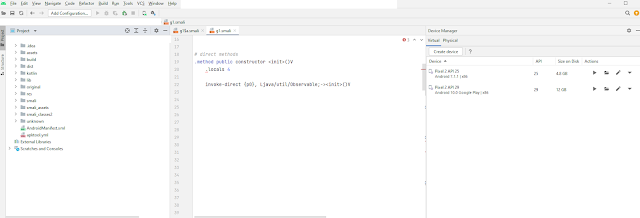
studio installed by now, you can set up and use its built-in emulator (which
uses qemu) using AVD / Device Manager from Android studio tools-> Device
Manager
- Any proxy server for app to
backend network interception. I used BurpSuite (https://portswigger.net/burp) which has
a free version. In order to enable network interception, you need to go to the
Android device network settings, turn on the proxy configuration, and put your
proxy server IP + port. Now go to your proxy server and check if you see any
traffic. If the target app HTTP communication is encrypted with TLS, some more
steps are needed to install a certificate on the device and intercept HTTPS
communication.
- Tools for dynamic
instrumentation of a target app on runtime, like Frida (https://frida.re/)
First steps:
Most 'release mode' apps code today are going through some
kind of obfuscation before being uploaded to stores like Google Play. This can
be through the native ProGuard that is installed by default with the Android
SDK, or other/additional tools. This process could make static analysis of an
app very hard and time consuming, especially if the app has a large codebase with
a lot of functionalities and we don't know where to start.
To ease this process, here are the general steps I take when
starting such project, together with some tips and tricks I usually use when
going through a process of reverse engineering an Android app.
An APK file is just an archived zip file (you can try to
load it on archiving software like winrar or 7zip and see how its internal
structure look like) containing all the app's code, libs, configurations and
resources.
First let's run apktool in order to disassemble the APK and
get those folders and files. This is a usual output we expect to find after
this process is run successfully:
Interesting paths to get familiar with:
· lib – holds all native libs
code (those written in c/cpp and compiled to a .SO file), separated by
architecture (so expect to find different SO files compiled to different ARM
versions, x86, MIPS etc. Methods from those libs will be called from the
Java/Kotlin application layer with special method signature(https://developer.android.com/training/articles/perf-jni
) so they are also pretty easy to find and track even in an obfuscated code.
· assets - will usually hold
all of the app's assets. This includes sounds, images, buttons, fonts and more,
but can also hold local databases or additional libs.
· original – holds original
files found on the APK. Original app signature files can be found here.
·
res – holds all the app
resources and configuration files. All the Android configuration files are in
XML format.
Interesting folders to check here are the 'layout' folder, which holds the
app's layout configuration files (for example, how activity X will appear on different
device screens, where each graphical gadget will be located on the screen etc),
and the 'values' folder which I'll elaborate about later.
· smali – will hold the app's
Java/Kotlin code in smali format.
· AndroidManifest.xml – a
required file that will be found in any Android app and declares the app's
behavior and intentions to the Android system.
Now let's dig a bit deeper and go through a list of things worth
looking into, when reverse engineering an Android app.
The following are places we can look for even before going
into the app's code itself. These can give us hints about the app's functionalities
and behavior, services, broadcast receivers and intents (that can be used for
IPC between different apps and processes), activities and more, and give us an
overall context of the app.
Logcat – is a general log file used on Android systems
to log messages coming from different apps. A lot of times Android applications
are being released with debug logs outputs as part of their release versions,
eventually being uploaded to Google Play. Some of the times, this can make our job
easier to extremely easy, depends on what we look for and what kind of logs are
left out by the developers and can be observed by us. The context of the log
messages can help us figure out what's happening during different activities or
methods in the app. Try triggering some activity or command in the app while
collecting logs and check the output. I promise some of the times this can get
very rewarding (someone said a token or key being logged by the app? 😊). To collect logcat you can use the 'adb
logcat' command which will just print them to the terminal's stdout, or you can
save them to a file and use some editor to read/parse them. The app developers
sends 2 parameters for every message to log: the message tag and the message
itself. The tag doesn't need to hold the app name/package name so make sure not
to miss messages because of filtering or searching the app name. You can also
search for Log.*() API calls in the code itself to find all of them.
AndroidManifest.xml – This file will be located in
the root directory of the disassembled APK (after running a tool like apktool).
The AndroidManifest.xml file is a standard file located in any Android app,
where the app declares permissions it needs, activities, services, broadcast
receivers and other parameters used by the app. This file is required in order
for Android to run an app. For debugging purposes, we'll need to add the 'android:debuggable="true"
' flag to the <application> tag
when repacking a patched app before we can attach a debugger to it.
Strings.xml – another configuration file, which can
usually be found under 'app-root-dir\res\values\'. It will hold all the strings
set to be used by the app (as long as they aren't hardcoded in the app's code
itself). There are also additional string.xml files with string translations to
different languages supported by the app, which can be found under folders
starting with 'values-' followed by the country iso code. For example, for
Spanish, look for 'values-es’.
In an obfuscated app, the strings found on these files, which
are usually plain text – can be used to hint about certain things happening while
the app is running. For example, want to find in what Smali file (and class)
the code for using Google payment is at? Start the app and trigger the process
for sending a payment -> make note of the string that the app shows to the
user before payment -> search that string in strings.xml to find its key
-> search the key and its corresponding ID in the Smali code or the app's
decompiled code->you found the class responsible for this action.
Public.xml – will have the corresponded ID values to
the keys found in strings.xml and all other resource IDs used by the app.
The app's data folder on the device - This folder is
the private storage path for the app (package) and exclusively used by it
(other apps can't access that folder under normal conditions). This could
normally be accessed on your physical device only if you have root
capabilities, that's why an emulator with higher permissions is easier to use
for this purpose. The path for the folder is usually
/data/data/com.official.myapp (where 'com.official.myapp' will be the package
name of the app).
The files under this folder varies and can hold things like
assets used by the app, as well as local databases, configuration files or
anything the app developers want to save locally on the device. If the app in
question uses SharedPreferences (and most of them do), which are like a
key-value database the Android API provides for app developers to persistently and
easily store data needed by the app , those will be found here as well under
'shared_prefs' folder.
*There are obviously more interesting places to look for,
depending on the app you're researching, but the mentioned above are usually
places I always look for no matter which app is being reverse engineered.
OK, not let's finally move to the app's code part
When compiling the source code of an Android app, all the
classes are eventually compiled to a single (although might be more if the app
has a large codebase) DEX file which holds all the executable code which will
eventually be run on the Android system.
When we want to take an APK code and reverse engineer it, we
will usually do one or more of the following:
1. Try to decompile the DEX (Dalvik)
bytecode back to Java-like source code (I intentionally write 'like' since the
result is not always perfect and certainly not a complete representation of how
the app code and structure would look like if we had its source code). This
will be the easier option for us but we might miss some things or get false
understanding of the actual code. When I started with Android app reverse
engineering, the only option I had for decompiling an APK is using a tool to
convert DEX to JAR file (dex2jar), and then use some Java decompiler tool to
show the decompiled code in a graphical interface. This was far from great as
the differences between Dalvik virtual machine (DVK) and Java virtual machine
(JVM) made the end result represent only parts of the original code
successfully. Fortunately, today we have tools like JADX which are made for DEX
decompiling and work much better.
2.
Disassemble the DEX file(s)
back to Smali source files using a tool like apktool. This is where we will
also apply our code patching, if any, if we want to change some of the app's
logic, add or remove some functionalities etc.
3. If the app also has native
libs (.SO) we can try to reverse engineer them as well. Since .SO library is
just an ELF executable, we can load it in a program like IDA or equivalent in
order to research it.
Using the first option by loading the APK to JADX we can
start digging through the app's code.
JADX search feature recently added support for regex, so you
can search for interesting patterns in the code like a base64 string or a 128
bit AES key or a md5 hash… you see where I'm going 😊.
You'll be surprised how many 'secret stuff' can be easily
found hardcoded in an app's code.
Note for developers: The AES key you use for
encryption/decryption of server-client communications should probably not be
hardcoded as part of your HTTP client interface/lib. Especially if the same key
is also used for other decryption methods 😊.
Additionally, you can use the search feature to search the
whole app's code for specific methods, variables, constants, strings, values
and more. While as we saw, most of
application's code today is obfuscated, we can still search for unobfuscated
things like standard Android API calls that do something we look for, and after
finding them, we can put the pieces back together to make sense of the
obfuscated code parts that call those APIs.
For example, let's say I want to find where in the app code,
a certain Boolean write to or a read from a SharedPreferences file is being
done. If we'll go to Android API guide for SharedPreferences (https://developer.android.com/reference/android/content/SharedPreferences
) we will find that the method signature for retrieving a Boolean look
something like this:
public abstract boolean getBoolean (String key,
boolean defValue)
Now we can launch JADX search window and search for
'.getBoolean( '
From there, we will be able to link up the calls to
eventually get the SharedPreferences file name being used, as well as the key
being read by the method.
Obviously, familiarity with the Android SDK and API will be
beneficial here, when trying to search for different behaviors and how they're
being done on the Android system. So, if you're a beginner with Android, it's
worth spending some time in learning these.
App patching
If we decide we want to implement/add/remove any code from
the app, we will need to edit some Smali code. There are numerous sources available
to learn Smali, but something good to start with, will be to get familiar with
the Dalvik opcodes used in DEX format and eventually dissembled to Smali: http://pallergabor.uw.hu/androidblog/dalvik_opcodes.html
Let's try a quick example. Let's say we want to toggle a Boolean
value to be 'True' on a parameter arrived from some method (maybe it's a
Boolean setting in a game that determines if we should have an extra round of
play or maybe it's Boolean that sets if the app presented to us should have
some premium features enabled…) and then we also want to set that Boolean to an
instance variable.
This is the Smali code before patching:

And now after patching:

We introduced a new variable v3 and set its value to 0x1
(True). Notice that I also incremented the '.locals' (variables) number to 4 because I added a new
variable.
Then, I put the value of v3 into the parameter p1.
I also set the value of v3 to the instance variable of b1.a
referenced by parameter p0 ('this').
Now that we've changed this method's logic, what will happen
on that if condition on the last line ? the control flow of the app will change
obviously!
This was a pretty basic patching example, we can do more
complex stuff, but keep in mind that when you add more complexity you also add
more room for errors and bugs, and you will most of the time find them only at
run time after going through the long process of compiling, packing, signing
and installing the patched APK, which can be very time consuming and frustrating.
So be careful, especially if you're not familiar enough with Smali and the
Android system, as things tend to break pretty easily from my experience.
We can also patch other things in the app resources. We can
replace strings, change assets from the assets folder like sounds and images
(hate that coin sound played each time you earn some points in the game? why
not change it?) and edit the app GUI
layouts (like an ad banner or a button for example).
OK now back to our target app. So, while reverse engineering
the app, I found quite a few things that were alarming from security
perspectives. To name a few: plain HTTP communication being made with the
backend, HTTP basic authentication being used (which together with the plain HTTP
communication, well, you get the point), hardcoded AES key (there is actually
one scenario, didn't dig too much there, when they use it to encrypt an HTTP
POST data communicated with the server. Maybe some serious things happen there
and they wanted to be more 'secure' this time :D . Only problem is, since this
is the same hardcoded key used in all of the distributed APKs, if an attacker
gets hold of it, they can use it to decrypt communications happening on other
app users). I'm pretty sure I could find more if I spent more time on this.
But, back to one of my main goals from the beginning of this
post, 'tricking' the app to give me access to the premium version (or features).
From my experience, when this kind of business model is being used, there
usually aren't really 2 different versions of the app (maybe because it's
easier to maintain just one codebase when you add/change code relevant for both
free and premium versions of the app, and the developers don't want to add
complexity to the build pipeline), and what's usually happening is that all the
features/functionalities for the premium version (for example, remove ads,
provide additional features, remove limit on usage of certain features etc.)
also exists somewhere on the free version, but are not accessible. When you buy
a premium version, those features are just being enabled. This leads to the
conclusion, that if no special techniques are being used to prevent app
patching (like code signing or creating a real different app versions, with
different codebases, which won't be accessible to users of the free app, among
others), there's nothing preventing a user from enabling those features by
patching the app's code. Obfuscation and other obscurity techniques will just
delay the process, as we all now security through obscurity isn't a magic
solution.
With that being said, and as noted at the beginning, if you
liked their app, be kind, support the developers and buy their product.
That's all for now.


